





_1013732_651984_0.png)








Hello, your privacy is important to us. Uniview websites use cookies to store info on your device and create the most secure and effective website . By continuing to use our websites, please accept the cookies could be stored on your device, which outlined our cookie policy and privacy policy .


_1036463_651984_0.png)





 X
X
 GLOBAL / ENGLISH


When you walk into very busy shopping centers, large indoor walking streets, massive warehouse clubs, and lively retail squares, you will notice that the people in charge of safety and the computer teams working behind the scenes have a huge problem they have to deal with every single day. The big question is how to get a complete and perfect view of a really large area that has lots of people moving around, confusing walking paths, and many hidden corners where bad things can happen without anyone seeing them.
Regular wide-angle cameras that just sit in one place are actually pretty good at showing a big picture of what is going on. However, they usually fail completely when you really need to see something clearly. For example, if you want to look closely at someone's face from far away, or see exactly what is happening during a money exchange at the Point of Sale (POS) register, or check small movements near very expensive items on a shelf, the video just turns into a bunch of messy, unclear squares. Because of this, trying to catch these important details by just putting up more and more fixed cameras is a bad idea. It makes the cost of buying the hardware, running all the needed wires, and keeping everything working over the years go way, way up.
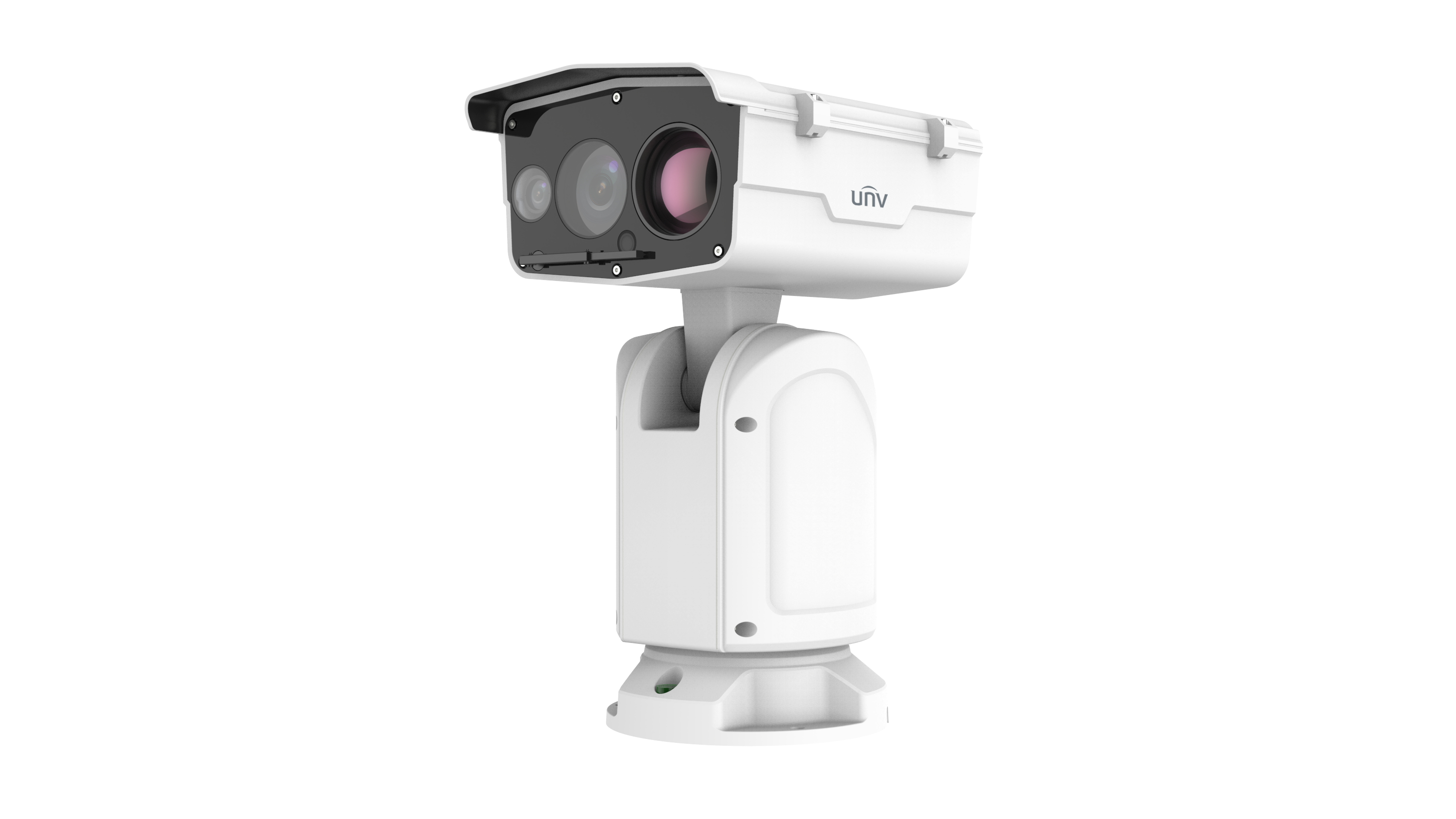
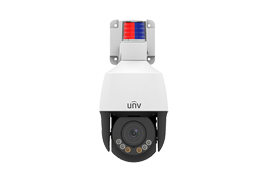
To fix this tough situation and get better results, bringing in advanced pan tilt zoom cameras is the absolute best way to go about it. The mechanics of ptz pan tilt zoom technology work so well because they bring together a complete 360-degree side-to-side turn, up-and-down movement, and very strong optical zooming power. This perfectly fills the gap between seeing a wide area and getting a really sharp, exact image. This helpful and practical guide will look at how to use the pan tilt and zoom features of modern security gear to completely get rid of blind spots. At the exact same time, it will help you lower the total number of cameras you need to buy and install, showing off some great new equipment and ideas from Uniview.
Getting rid of blind spots using old and basic security plans usually means using a "brute force" way of doing things. This means hanging four or five fixed cameras in one big room or at a busy crossing area, with each camera looking strictly in one single direction all day long. This kind of setup does not change or adapt well to new situations, it makes the cost of putting things up go much higher, and it ruins the nice look of the stores with way too much equipment hanging down from the ceiling.
The main idea of the PTZ "no-blind-spot" plan is based on moving coverage and focusing the lens only when you really need to. A really good pan tilt zoom ptz camera, like the ones you find in the Uniview Prime or Pro series, can spin around fully 360 degrees without stopping and tilt up and down from -15 degrees to 90 degrees. Because it can move so much in every direction, if you just put one of these units right in the middle of a high ceiling or at a main walking point, you can easily watch over thousands of square feet of space without breaking a sweat.
By changing from just watching a static view to smart, automatic moving and looking around, the people who run the buildings can easily trade three or four normal wide-angle cameras for just one single PTZ unit. On a normal, quiet day, the camera simply sweeps across the open floor to watch the general flow of shoppers. But if something bad or strange happens, the security workers sitting in the control room can quickly take over the controls. They can turn the camera into a super exact telescope in just a second. This "less is more" plan is the real secret to getting the best return on the money you spend for modern store security.
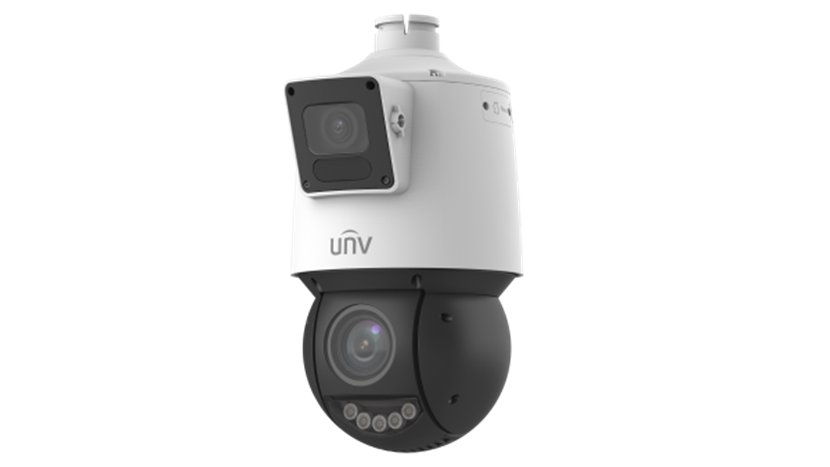
To successfully cut down on the amount of hardware you have to buy while also making sure there are no hidden spots anywhere, putting the cameras in the exact right place is very, very important. Picking the right spots from the start can easily double how well your equipment works for you.
In shopping areas that get a massive amount of foot traffic every day, bad security events usually happen in a few main "choke points." When you are drawing up your map for where the cameras will go, you need to make sure these important areas are right in the camera's main, clear view.
Sometimes, the people who put the cameras up want to hang them as high as they possibly can on the ceiling to try and see as much of the floor as possible. However, the people who know security best say you should always try to use the "golden height" of 8 to 10 feet (which is about 2.4 to 3 meters off the ground). At this specific height, the camera is safe from regular people trying to hit it or break it, but it is still low enough to catch clear, straight-on pictures of people's faces instead of just filming the tops of their hats or heads.
In store spaces that are shaped like long rectangles or have weird, funny outlines, putting a camera right in a corner is a very smart and useful move. This spot naturally takes advantage of the 90-degree outward angle of the room. It uses the physical walls of the building to get rid of any hidden spots right behind or directly under the machine itself. When you pair this with a plan that has cameras looking across at each other, you make sure that absolutely no corner is left unwatched by the system.
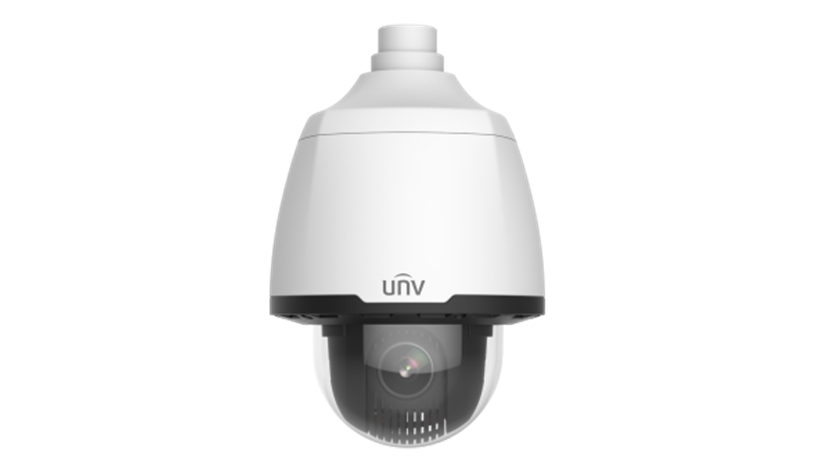
Picking the right physical machines to buy is just the start of the job. The real power and magic of the "no-blind-spot" plan is found in how you set up the computer programs to get the absolute most out of the camera's abilities.
The "digital zoom" feature that you use on a normal cell phone just makes the pixels on the screen bigger, which usually makes the picture look bad and fuzzy. Commercial PTZ cameras are very different because they use real, moving optical zoom lenses made of high-quality glass. For example, the professional PTZ line from Uniview has very strong lenses that can zoom 25X, 33X, or even 40X depending on what you buy. If you hang one of these cameras high up in a mall center, the camera can tape the big crowd movements using its wide setting. If a fight or something strange happens 150 feet away on the other side of the room, a worker can move the stick controller to cover that big distance in a flash. They can cleanly read the exact numbers on a dollar bill at a cash register or figure out exactly who a bad person is from very far away.
Busy commercial places change very fast every single second of the day. If the workers have to move the camera by hand to slowly find a target every time a warning goes off, they will lose really important video evidence while they are searching. Uniview PTZ cameras let you save up to 1,024 different preset spots in the computer memory. You can name the main front doors as "Preset 1," the POS cash registers as "Preset 2," and the expensive watch counter as "Preset 3." When something bad goes down, or when an alarm on a back door goes off, the camera does a fast, one-touch move. Moving at super fast speeds of up to 300 degrees every single second, the lens jumps straight to the needed view in just a tiny fraction of a second, catching the action right as it happens.
Making the cameras patrol on their own is the best way to cut down on how much hardware you need. By setting up a patrol path in the computer system, you can connect your saved preset spots together in a repeating loop. For instance, you can program the camera with the following exact steps:
This setup lets one pan tilt and zoom camera do the heavy lifting of several fixed units all by itself. Also, it is very important to set up PTZ Limits in your computer rules. This stops the camera from turning too far, making sure it does not waste its time looking at blank walls or thick concrete poles while it goes on its patrol. It makes sure every single second of recorded video gives you real, useful security value.
Taking this nice plan and making it work in a real physical retail space often uncovers hard network and building problems. Here is how you can stay away from common mistakes when you are putting things together.
Pulling different power wires and data cables all the way across a huge commercial building costs a ton of money and is very hard to do. We really suggest using PoE+ (IEEE 802.3at) or PoE++ technology to make things much easier. Most of the popular Uniview PTZ cameras work perfectly with PoE. Just one normal Ethernet wire can send the high electrical power needed for the camera's moving parts and the data space needed for clear, high-definition video at the exact same time. This cuts down the work time and the money spent on materials by a huge amount.
Because a ptz pan tilt zoom camera changes its whole view very quickly when it goes on its automated patrol, the video data rate can jump up very fast and crash the system. You must be completely sure that your main network switches and your Network Video Recorders (NVRs) have enough extra data room to handle this big jump. Turning on Uniview’s Ultra 265 deep video packing technology can lower the data and storage needs by up to 75 percent without making the picture look worse. This keeps your whole network running smoothly without freezing up or losing important video clips.
In big places with a lot of foot traffic, trying to get total security while also sticking to tight money limits can feel like a very hard balancing act for business owners. But, if you correctly use a "no-blind-spot" plan with moving PTZ technology, you can totally change how that math works out for you. Even though the first price tag of a professional PTZ camera is higher than a plain fixed lens camera, the complete return on your money is super clear when you think about getting rid of extra hardware, wires, metal pipes, and long-term fix-it fees.
Before you start your next big commercial security update or build a new store, we really say you should take your floor drawings and do a complete check for blind spots. By correctly finding your choke points and putting up top-level gear, like Uniview's LightHunter-ready, smart-tracking PTZs, you will build a safe, money-saving, 24/7 security fort that has absolutely zero blind spots for thieves to hide in.
A: No, that is not always true at all. While cameras with 40X or 44X zoom do exist in the market today, they are really made for giant outdoor places like boat ports, large parking lots, or big city squares. For most indoor store zones and mall centers, a 25X to 33X optical zoom is more than enough to clearly see faces and register details from hundreds of feet away. Buying too much zoom can waste your budget and give you a view that is way too narrow for tracking people indoors.
A: Modern, high-level PTZ cameras are built to handle this exact problem perfectly. Smart PTZ devices from Uniview have highly useful features like "Auto Tracking" and "Smart Intrusion Prevention." If the camera sees a broken rule, like someone stepping over a drawn line or walking into a closed zone, while it is on its patrol walk, it will automatically stop the tour. It will then lock onto, zoom in, and follow the strange target. When the target leaves the area or a worker steps in, the camera simply goes back to its normal patrol path.
A: Commercial-grade PTZ cameras, especially the ones that have IP66/IP67 ratings for weather protection and IK10 ratings for stopping angry vandals, are put together with exact stepper motors and very tough moving gears made for non-stop, 24/7 turning. When you install them the right way using PoE, the chance of the hardware breaking is very, very low. Over a long time, taking care of one really good PTZ camera is a lot easier and cheaper than fixing four separate fixed cameras stuck high up on the walls.

2026-03-16
Topic: Products and Technologies

2026-03-16
Topic: Products and Technologies

2026-03-05
Topic: Products and Technologies


